Splitting an image into equal parts is a simple yet powerful way to prepare photos for different creative and professional projects. Whether you’re creating an Instagram grid, printing a large poster across multiple pages, designing a photo collage, or dividing an image for presentations or educational materials, evenly split images help you achieve a clean and organized result.
The good news is that you don’t need advanced editing software or design experience. With an online image splitter, you can divide a photo into equal rows and columns in just a few clicks while preserving its original quality. Simply upload your image, choose your preferred grid size, preview the results, and download each section instantly.
In this guide, you’ll learn how to split an image into equal parts online, choose the right grid layout for your project, and follow a few best practices to ensure sharp, accurate results every time.
Table of Contents
How to Split an Image Into Equal Parts Online
Splitting an image into equal parts takes just a few seconds with our online image splitter. Follow these simple steps:
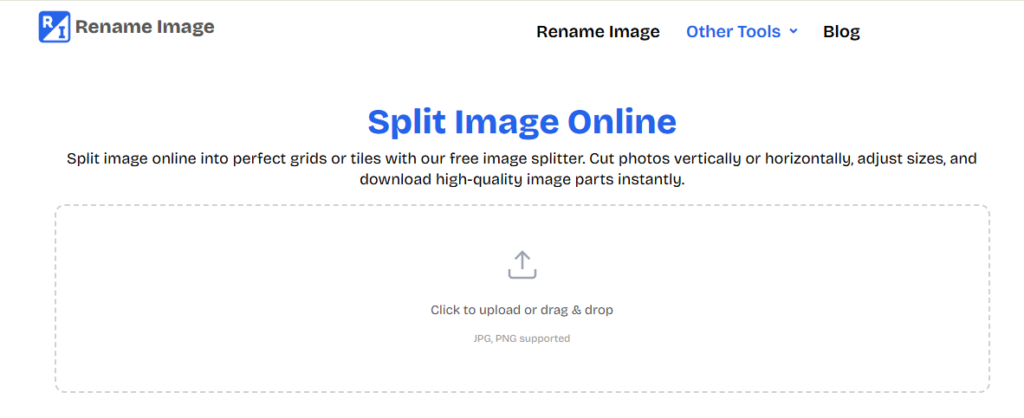
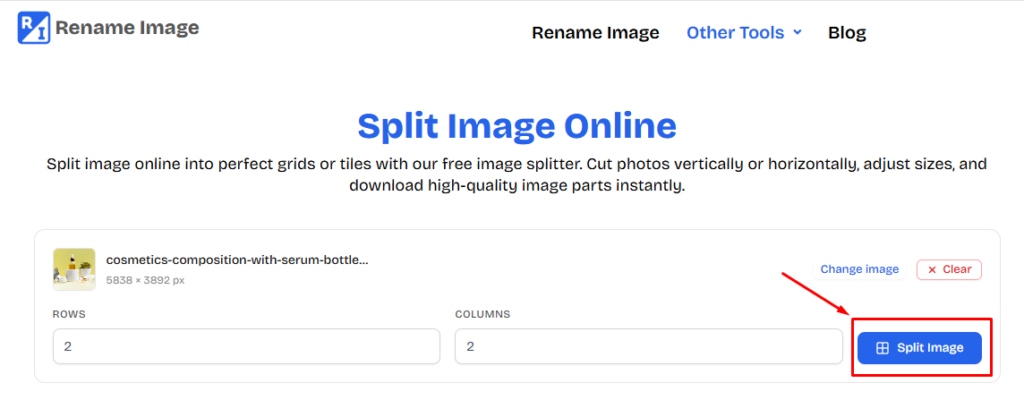
Step 1: Start by opening the Image Splitter tool: https://www.renameimage.com/split-image/. And upload the image you want to split from your device.
Step 3: Select how you want to divide your image by specifying the number of rows and columns. Whether you need a 2×2, 3×3, 4×4, or a custom grid, the tool will split the image into evenly sized sections.
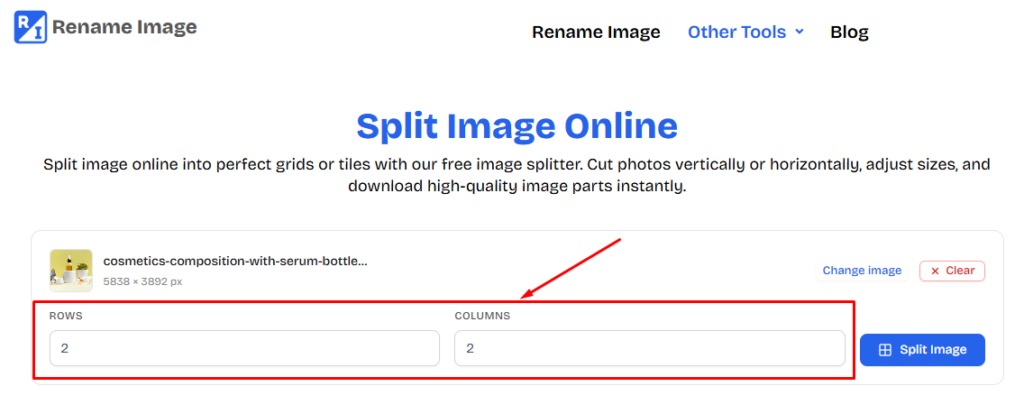
Step 4: Once you’ve selected your preferred grid layout, click the “Split Image” button. The tool instantly processes your image and divides it into equal parts while preserving its original quality.
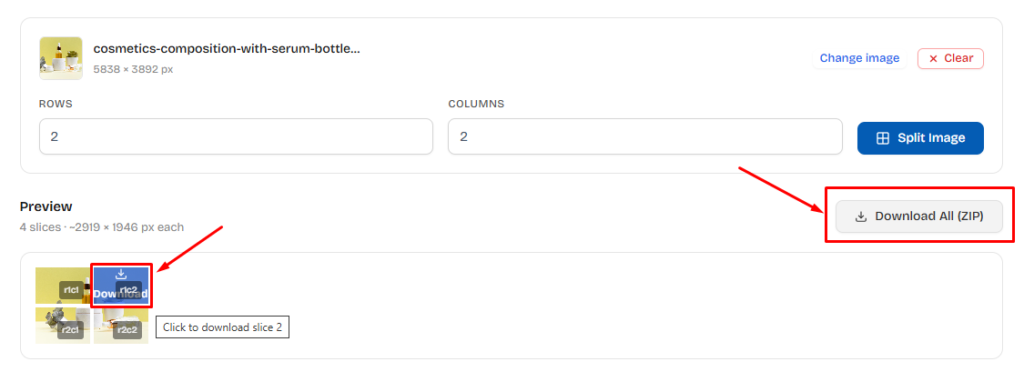
Step 5: Once done, download each image piece individually, or save all the split images together as a convenient ZIP file for faster access and sharing.
Also, learn how to combine multiple images into a single high-quality image.
When Do You Need to Split an Image Into Equal Parts?
Splitting an image into equal parts is useful in many personal, educational, and professional situations. By dividing a photo into evenly sized sections, you can make it easier to print, share, present, or display without manually cropping each piece. Here are some of the most common use cases:
Creating Instagram Grid Posts
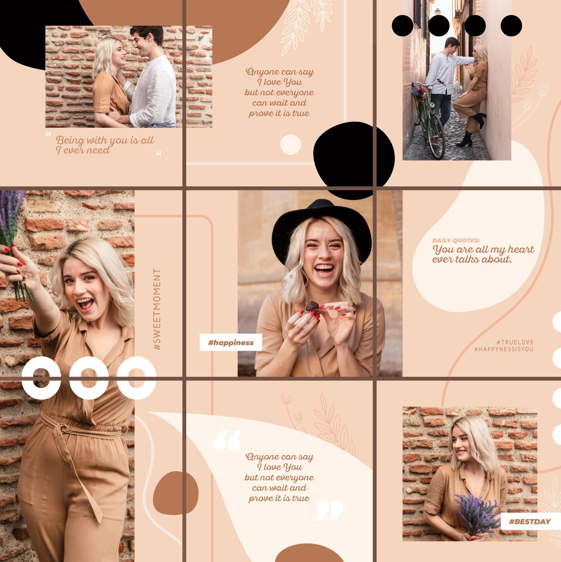
Many creators and businesses divide a single image into a 3×3 or other grid layout to create eye-catching Instagram profile grids. Each piece is uploaded as an individual post, forming one seamless image across the profile.
Designing Photo Collages
Splitting a picture into equal squares or rectangles helps organize images for collages, scrapbooks, mood boards, and creative design projects. Equal-sized sections create a balanced and professional-looking layout.
Preparing Presentation Materials
Teachers, students, and professionals often divide images into sections for slides, reports, classroom activities, or visual demonstrations. Breaking an image into smaller parts can make it easier to explain details or focus on specific areas.
Creating Puzzles and Learning Activities
Educators frequently split pictures into equal pieces for classroom games, matching exercises, and printable puzzles. Evenly divided images make these activities more engaging and easier to prepare.
Web and Graphic Design Projects
Designers can split images into multiple sections for website layouts, image galleries, user interface mockups, or creative visual effects. Working with separate image tiles provides greater flexibility during the design process.
Why Use an Online Image Splitter?
An online image splitter offers a fast and hassle-free way to divide images into equal parts without installing photo editing software. Whether you’re preparing images for social media, presentations, or creative projects, you can complete the task in just a few clicks. Here are some of the key benefits of using an online image splitter:
No Software Installation Required
Everything works directly in your web browser. There’s no need to download or install desktop applications, making the tool accessible from any device with an internet connection.
Split Images Without Losing Quality
The tool divides your image into equal sections while preserving its original resolution and clarity. This ensures each image piece remains sharp and suitable for printing or digital use.
Supports Multiple Image Formats
Upload and split popular image formats such as JPG, PNG, WebP, and all other image formats. A Split Image tool is suitable for photos, graphics, screenshots, and other digital images.
Works on Any Device
Whether you’re using a desktop computer, laptop, tablet, or smartphone, you can split images anytime without worrying about compatibility.
Fast and Easy to Use
The process takes only a few seconds. Simply upload your image, choose the number of rows and columns, split the image, and download the results.
Conclusion
Splitting an image into equal parts doesn’t have to be complicated. Whether you’re creating an Instagram grid, designing a collage, or preparing visuals for a presentation, an online image splitter makes the process fast, accurate, and hassle-free.
Simply upload your image, choose the number of rows and columns, preview the results, and download the divided image sections quickly. There’s no software to install, and the tool works seamlessly across desktop and mobile devices.
If you’re looking for a quick and reliable way to split images into equal parts, try our free online Image Splitter and create perfectly divided images for any project in seconds.