Have you ever needed to send the front and back of an ID card, combine several screenshots into one image, or share multiple photos without flooding someone’s inbox? These are everyday situations where using a merge image tool can save time and make your files easier to organize, share, and view.
Instead of sending multiple image files separately, you can merge them into a single, well-organized JPG. Whether you’re preparing documents for an online application, creating a product listing, submitting receipts for reimbursement, or putting together travel confirmations, combining images helps present information more clearly and professionally.
The best part is that you don’t need advanced editing software or graphic design skills. A browser-based merge image tool lets you combine images in just a few clicks while preserving their quality. You can arrange them vertically for multi-page documents, place them side by side for comparisons, or create a clean layout that suits your needs.
In this guide, you’ll discover real-life situations where using a merge image tool makes everyday tasks simpler, faster, and more convenient. You may even find a few use cases you haven’t considered before.
Table of Contents
When to Use a Merge Image Tool
There are many everyday situations where it’s more convenient to merge images instead of managing multiple files. Whether you’re submitting documents, completing identity verification, organizing important records, or creating visual content, a merge JPG tool helps you combine multiple images into a single high-quality image that’s easier to upload, share, and review.
Below are some of the most common real-life scenarios where merging images can save time, simplify file sharing, and improve the overall viewing experience.
Merge Identity & Verification
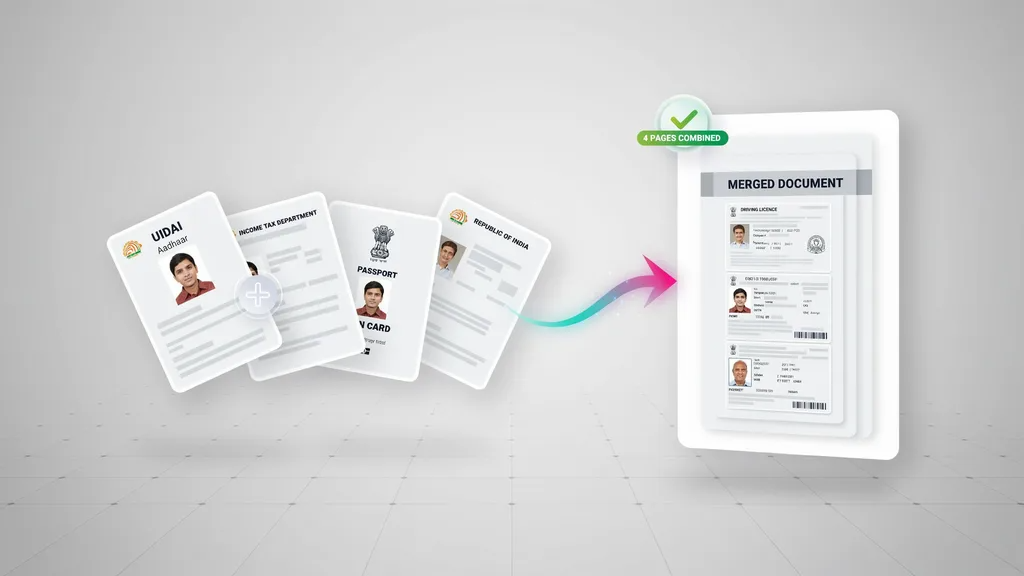
Identity documents are often required for online verification, applications, and official records. Instead of uploading separate files, you can merge JPG images into a single file for easier submission.
- Merge ID Card Front and Back in One Image: Combine both sides of your ID card into a single image for bank verification, job applications, or online registrations.
- Merge Driver’s License Front and Back in One Image: Put both sides of your driver’s license into one image for insurance, vehicle rentals, or identity verification.
- Merge Passport Photo Page and Visa Page: Combine your passport’s information page and visa page into a single image for travel or visa-related submissions.
- Merge Health Insurance Card (Front & Back) in One Image: Keep both sides of your health insurance card together when sharing them with healthcare providers or insurance companies.
- Merge Student ID Front and Back in One Image: Combine both sides of your student ID card for scholarship applications, campus services, or academic verification.
Merge Banking & Finance Images
Managing financial documents is easier when images are organized in one place. Combining payment records, banking documents, and verification files into a single image makes them simpler to share, upload, and manage.
- Merge Multiple Cheque Images Before Sending: Combine multiple cheque images into one file before sharing them with your bank, accountant, or financial institution.
- Combine Bank Deposit Slips into One Image: Keep multiple deposit slips together for easier record-keeping or proof of payment.
- Put Payment Confirmation Screenshots Together: Merge payment confirmation screenshots into a single image when confirming transactions or resolving payment-related issues.
- Merge Receipt Photos for Expense Reimbursement: Combine multiple receipts into one image to simplify expense claims and reimbursement requests.
- Combine Utility Bills for Address Verification: Put two or more utility bills into a single image when submitting proof of address for banks, government services, or other organizations.
Merge E-commerce Products Photos
Whether you’re creating a product listing or requesting a return, it’s often more convenient to combine images instead of sending multiple files. This keeps product details organized and makes them easier for buyers or support teams to review.
- Show Every Angle of a Product in One Image: Combine photos from different angles into a single image to give buyers a complete view of the product.
- Create Product Comparison Images: Put two or more products side by side in one image to compare features, colors, sizes, or designs for customers or presentations.
- Combine Product Damage Photos for a Return Request: Merge multiple images showing the damaged areas to support warranty or return claims.
- Merge Warranty Card and Purchase Receipt: Keep your warranty card and proof of purchase together for faster warranty claims or customer support.
- Create One Image for Facebook Marketplace Listings: Combine multiple product photos into a single image to create cleaner and more attractive listings.
- Put Product Size Chart and Product Photo Together: Merge the size chart with the product image so customers can easily compare dimensions before buying.
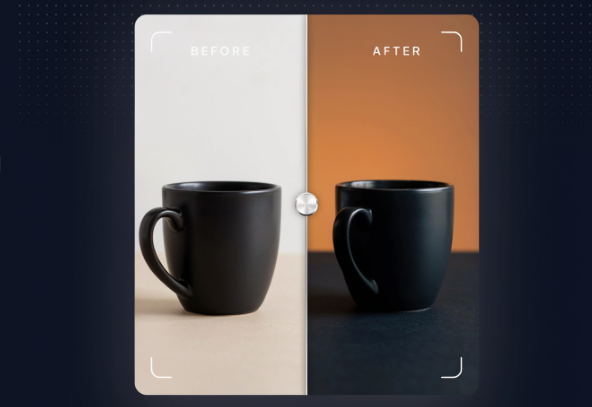
- Create Before-and-After Comparison Images: Combine “before” and “after” photos into a single image to highlight transformations, repairs, cleaning results, renovations, beauty treatments, or product improvements.
Combine Travel Photos and Documents
Whether you’re planning a vacation or a business trip, organizing travel documents in one place makes everything easier. Combining related images into a single file helps simplify check-ins, bookings, and document sharing.
- Merge Boarding Pass and Passport Photo: Keep your boarding pass and passport information page together for quick access during check-in or travel verification.
- Combine Hotel Booking and Flight Confirmation: Merge your hotel reservation and flight confirmation into one image for convenient trip planning.
- Combine Travel Itinerary Screenshots: Create a single image that displays all your itinerary screenshots to view your complete travel schedule at a glance.
- Merge Tourist Attraction Tickets: Keep tickets for museums, parks, concerts, or other attractions together in one image for easy access.
- Combine Maps and Directions Screenshots: Merge map routes and navigation screenshots into one image so you can quickly reference directions while traveling.
- Create a Travel Photo Collage: Combine your favorite travel photos into a single image to capture memorable moments from your trip and make them easier to share with friends and family.
Combine Educational & Work Images
From classrooms to offices, you’ll often need to organize multiple images for assignments, reports, or presentations. You can use the merge images tool to combine images into a single image to make them easier to share, review, and manage.
- Combine Whiteboard Photos from Class: Keep all classroom notes in a single image for easy revision.
- Merge Book Pages for Revision: Save important pages in one place for quick reference while studying.
- Put Assignment Questions and Answers Together: Organize both in a single file for easier submission and review.
- Combine Lab Experiment Photos: Document different stages of an experiment in a clear, organized format.
- Merge Certificate Images for Scholarship Applications: Keep all required certificates in one file before uploading.
- Combine Meeting Whiteboard Photos: Preserve brainstorming sessions and meeting notes in the correct order.
- Merge Progress Photos for Project Updates: Showcase project milestones with a single, easy-to-follow visual.
- Put Design Mockups Together for Client Review: Present multiple concepts side by side to simplify feedback and decision-making.
- Combine Signed Contract Pages: Keep signed pages organized for faster sharing and future reference.
- Merge Inspection Photos into One Report: Present inspection findings in a structured format that’s easy to review.
Merge Photography & Creative

Whether you’re editing photos, designing graphics, or creating content, keeping related visuals together helps streamline your workflow. Merging images into a single file also makes presentations and client reviews more effective.
- Create a Contact Sheet from Multiple Photos: Display several photos in one image for quick previewing or selection.
- Merge Camera Settings Screenshot with the Final Photo: Keep your camera settings alongside the final result for future reference or educational purposes.
- Combine Inspiration Images into One Mood Board: Organize reference photos, color palettes, and design ideas in a single visual.
- Put Logo Variations Together: Present different logo concepts, color options, or versions in one image for easier comparison.
- Merge Design Revisions into One Image: Show multiple design iterations in a single file to simplify reviews and client feedback.
Merge Social Media Images or Post
Social media is all about telling a story through visuals. Combining multiple photos into one image helps you create eye-catching posts that are easier to share and more engaging for your audience.
- Create a Story Recap from Multiple Photos: Highlight the best moments from your day or event in a single image.
- Combine Festival Photos into One Image: Showcase your favorite memories from festivals, concerts, or celebrations in one visual.
- Combine Birthday Celebration Photos: Turn multiple birthday snapshots into a memorable collage that’s easy to share.
- Merge Food Photos into One Collage: Display different dishes, recipes, or restaurant highlights in a single image for social media posts.
- Create a Monthly Photo Recap: Combine your favorite photos from the month into one image to share personal highlights or milestones.
Conclusion
A merge image tool is useful for much more than creating simple photo collages. As you’ve seen, it can help organize identity documents, simplify financial paperwork, improve online product listings, keep travel documents together, support school and office work, streamline creative projects, and create engaging social media content.
Instead of managing multiple image files, you can combine them into a single, organized JPG that’s easier to upload, share, and review. Whether you’re handling everyday documents or working on visual projects, merging images saves time while presenting information in a cleaner, more professional way.
If you’re looking for a quick and hassle-free way to merge JPG files, try our free online tool. It works directly in your browser, preserves image quality, and lets you combine multiple images into one in just a few clicks, no software installation or sign-up required.